
Setting Up PUBG Cheats Safely — Zakynthos-Era Pre-Flight Workflow
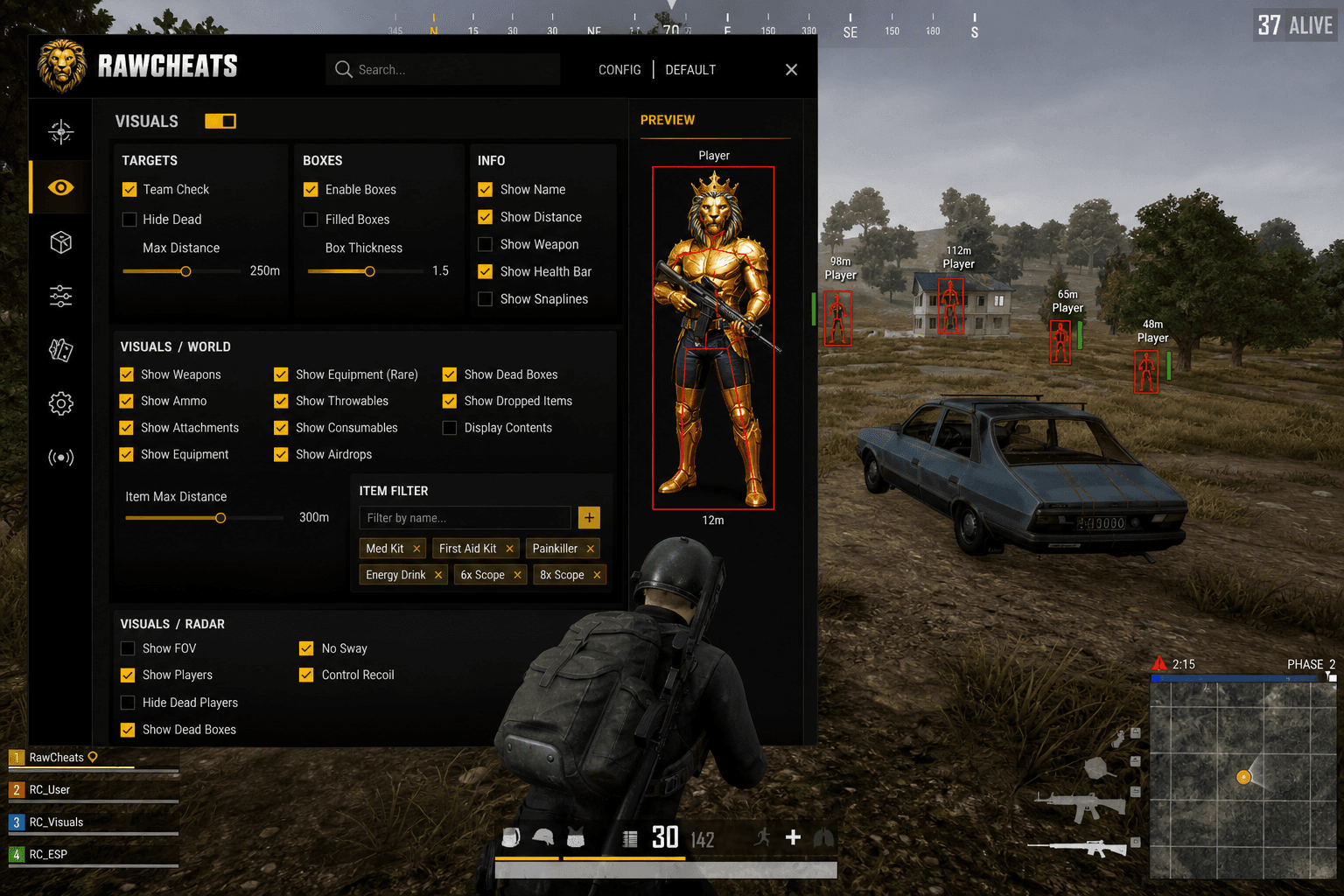
Cold-boot workflow, spoofer-first ordering, Zakynthos persistence awareness. The 2026 setup checklist for surviving BattlEye + Zakynthos.
Setup workflow for PUBG cheats matters more in 2026 than it ever has. Pre-Zakynthos, you could open Steam first, fumble the cheat loader, retry, and probably still avoid a ban. Post-August 2025, the Zakynthos kernel driver design makes the load order load-bearing — once Zakynthos sees your hardware identifiers, those values are committed to its session-state regardless of what you spoof afterward. The 45,000+ accounts banned in the Feb 2026 wave included plenty of users whose cheat product was technically fine but whose setup workflow leaked identifiers to BattlEye + Zakynthos before the spoofer ran. Here's the workflow that doesn't leak.
This post is a cluster of the PUBG Cheats Complete 2026 Guide pillar. The pillar covered the architecture context. This piece is the pre-flight checklist for actually launching a session safely.
Why setup order matters in the Zakynthos era
BattlEye reads your hardware fingerprint when it initializes — which happens during PUBG's launch sequence after Steam authenticates you. Pre-Zakynthos, your only concern was timing the spoofer before that moment. Post-Zakynthos, you have a second AC that operates at the kernel layer independent of any service control. The PUBG dev Alex confirmation: "the Zakynthos kernel driver stays engaged as long as the client is running" — even if you force-quit Zakynthos service, the driver continues operating.
The implication: if Zakynthos's driver fingerprints your hardware before you spoof, you can't make it forget afterward. The driver doesn't unload until PUBG closes. Re-running the spoofer mid-session doesn't reset the Zakynthos driver's view of your hardware.
The workflow that addresses this is cold-boot, spoofer-first, then anything else.
The cold-boot rule
Cold-boot means a full Windows shutdown followed by a fresh boot, not a restart. The difference: restart preserves kernel state across the cycle on modern Windows (UEFI fast-boot); cold-boot clears it. Persistent kernel drivers from a previous cheating session can linger if you only restart. Cold-boot guarantees a clean kernel state.
The practical impact for PUBG: if you cheated yesterday, played a legitimate game today, and want to cheat again tonight, restart is not sufficient. Shut down fully, wait 5-10 seconds for power to drain, boot fresh. Slight overkill for most users but the safe-side default.
The spoofer-first rule
Run Raw Spoofer before any other software loads. The exact sequence:
- Boot fresh Windows. Don't open Steam, don't launch the cheat loader, don't open browsers. Idle Windows is the goal.
- Right-click Raw Spoofer → "Run as administrator." UAC prompt; accept.
- Wait for the spoofer window to load. Single-pane GUI; license field at the top.
- Enter your spoofer license key. Paste from your email / Discord DM. Press "Activate."
- Click "Spoof." The kernel driver loads; identifiers randomize over the next 2-3 seconds. The spoofer GUI logs each identifier change as it happens.
- Wait for "Spoof complete" confirmation. Don't proceed until you see this. Approximately 3-5 seconds total.
- Verify the spoofer is still running. Don't close the spoofer window — it needs to stay running for the duration of your cheating session. Minimize is fine; close is not.
What you've achieved at this point: Motherboard Serial, Motherboard UUID, CPU Serial, GPU Serial, MAC Addresses, HDD/SSD Serials, Volume Serial, RAM Serials, Monitor EDID, USB Controller IDs, BIOS UUID, TPM Endorsement, Computer Name, Windows Installation ID, Disk GUIDs, and Audio Device IDs are all randomized to fresh values for this session. When BattlEye and Zakynthos read these next, they'll see the new values, not your real hardware identifiers.
Then the cheat loader, then Steam
- Run the Raw PUBG loader. Double-click; enter cheat license; select PUBG from the game dropdown. Don't click Inject yet.
- Open Steam. Steam launches; you log in normally. The Steam credentials don't matter to BattlEye / Zakynthos at this point — those care about hardware, not Steam.
- Launch PUBG from Steam. PUBG initializes; BattlEye and Zakynthos load with the game. They read the spoofed hardware identifiers (because the spoofer is already running).
- Wait for PUBG's main menu to load fully. Don't rush this step. BattlEye / Zakynthos's initial scans complete during the main-menu load.
- Click "Inject" in the Raw PUBG loader. The cheat injects into the PUBG process; menu overlays within 2-3 seconds.
- Press INSERT to open the cheat menu. Default keybind; rebindable if you prefer.
- Configure your settings. Load your saved config slot or tune manually.
- Queue into a match. You're ready.
What "force-quit Zakynthos service" doesn't accomplish
Some older guides recommend force-quitting the Zakynthos service before launching the cheat — under the theory that an unloaded service can't detect you. This doesn't work in 2026 because of Zakynthos's kernel-driver persistence design.
The Zakynthos service runs in user-mode and supervises the driver. The Zakynthos driver runs in kernel-mode and operates independently. Killing the service doesn't unload the driver; the driver continues scanning kernel memory until PUBG closes.
What force-quitting Zakynthos service does accomplish:
- Stops user-mode logging / telemetry from the service.
- Doesn't stop kernel-mode driver scanning.
- Doesn't prevent BattlEye from operating normally.
- May trigger an anti-tampering flag on your account if the service kill is detected.
The honest framing: don't bother. The cheat needs to handle Zakynthos's kernel driver regardless of whether the user-mode service is alive. Raw PUBG is built around the dual-AC architecture; don't undermine that engineering by killing services that don't accomplish what you think they do.
What about Secure Boot and TPM?
Windows 11 with Secure Boot + TPM 2.0 is the standard 2026 PUBG environment. Krafton hasn't mandated Secure Boot the way Fortnite did in February 2026, but the spoofer needs to handle these environments cleanly.
Raw Spoofer handles Secure Boot environments without disabling Secure Boot. The kernel driver is signed and loads under Secure Boot policy. TPM 2.0 endorsement key spoofing is the Windows 11-specific identifier; Raw Spoofer covers it.
If your machine is older (Windows 10, no TPM 2.0, or TPM 1.2), you don't need TPM spoofing — BattlEye and Zakynthos don't read endorsement keys on hardware that doesn't have them.
The "what if I forgot to spoof" question
You launched PUBG before running the spoofer. BattlEye / Zakynthos have already read your real hardware fingerprint and committed it to this session's state.
What to do:
- Close PUBG completely. Exit the game and confirm PUBG / BattlEye / Zakynthos processes are gone from Task Manager.
- Close Steam. Right-click Steam tray icon → Exit. Confirm steam.exe is gone.
- Verify spoofer not running. If yes, close it. Spoofer must be re-run from clean state.
- Wait 30 seconds. Let any lingering kernel state clear.
- Re-run Raw Spoofer. Fresh randomization.
- Restart the full workflow from step 1 above.
This is a partial recovery — the BattlEye / Zakynthos servers may have already correlated your real fingerprint with your Steam account for this session. Whether that triggers a ban depends on whether you actually used cheats in the leaked session. If you launched PUBG and the cheat wasn't loaded, you're probably fine. If you cheated in the leaked session, the damage may be done.
The conservative approach: assume the worst, abandon the Steam account for cheating purposes, use a fresh account in the next session. Most users don't go this far for first-time mistakes; experienced cheaters do.
Cross-session hygiene
Cheating on the same Steam account across multiple sessions creates correlation signal for Krafton's behavioral analysis. The conservative approach:
- One Steam account per use case. Cheating account separate from legitimate ranked account separate from competitive tournament account. Don't cross-pollinate.
- Consistent IP within a session, variable across sessions. Same VPN exit during a play session, different exits across sessions.
- Different payment methods for different accounts. Reusing a credit card across cheating + legitimate accounts creates payment correlation.
- Don't add friends across accounts. Friend graphs are visible to Krafton's analytics; cross-account friend overlap is a correlation signal.
This is OPSEC overhead the average ranked player doesn't bother with. Tournament-tier accounts and repeat-offender recovery accounts should bother.
The "what if I get caught mid-session" question
You're playing PUBG with cheats running and you suspect BattlEye or Zakynthos has detected you (unusual game behavior, performance issues, weird overlay artifacts).
What to do:
- Don't panic. False alarms happen. The cheat menu sometimes glitches without indicating detection.
- Press INSERT to hide the cheat menu. Visual overlay artifacts often clear when the menu hides.
- Continue the match normally. Pulling out abruptly is a behavioral flag in itself.
- At end of match, exit PUBG cleanly. Don't alt-F4; close via PUBG's exit menu.
- Check Krafton's account dashboard for any pending action.
- Wait 24-48 hours before next session to see if a ban materializes.
- If banned: the recovery flow is in the PUBG HWID spoofer cluster.
Most "I'm getting detected" worries are paranoia. Real detections produce kicks from the match or immediate ban screens, not subtle behavioral cues.
OPSEC: things to avoid during sessions
- Don't ask in PUBG voice chat about cheats. Krafton's voice NLP catches this.
- Don't stream your cheating gameplay to Twitch / YouTube. Even with the overlay hidden, replay-review and AI video review will catch you.
- Don't queue with friends on legitimate accounts. Friend-graph correlation.
- Don't use the same Discord on cheating + legitimate Steam accounts. Discord token correlation.
- Don't run the cheat in BR custom rooms or weird game modes. Default queues are tested; custom modes have weirder anti-cheat behaviors.
Pre-Flight Checklist (quick reference)
For frequent reference, here's the consolidated checklist:
- Cold-boot Windows (full shutdown, not restart).
- Don't open Steam yet.
- Run Raw Spoofer as admin.
- Enter spoofer license, click Spoof.
- Wait for "Spoof complete" confirmation.
- Minimize spoofer (don't close it).
- Run Raw PUBG loader.
- Enter cheat license; select PUBG from dropdown.
- Open Steam; log in normally.
- Launch PUBG from Steam.
- Wait for main menu to fully load.
- Click Inject in Raw PUBG loader.
- Press INSERT to open cheat menu.
- Load config slot or configure.
- Queue match.
FAQ
Does the cold-boot rule really matter? For ranked play, probably not critical — most ranked sessions on a recently-rebooted machine are fine. For tournament accounts or repeat-offender recovery, cold-boot is the conservative default. Modern Windows fast-boot does preserve some kernel state that a full shutdown clears.
Can I leave the spoofer running between sessions? No — close PUBG first, then close Steam, then close the spoofer. Re-run the spoofer next session for fresh identifiers. Reusing the same spoofed identifiers across multiple sessions creates a fingerprint pattern Krafton's behavioral models can correlate.
Does the spoofer break legitimate ranked play if I forget to close it? Probably not — legitimate ranked players run BattlEye too, and BattlEye doesn't ban for spoofer presence alone. But running a spoofer while playing legitimately is an OPSEC violation. Cleanly separate cheating and legitimate sessions.
How long does Raw Spoofer take to spoof? 3-5 seconds end-to-end from clicking "Spoof" to "Spoof complete" confirmation. Slower on older hardware (HDDs vs SSDs make a measurable difference).
Do I need to spoof if I'm using a new Steam account? Yes. The Steam account is unrelated to hardware fingerprinting. BattlEye + Zakynthos read your hardware, not your Steam account. A new Steam account on un-spoofed hardware with a history of bans inherits the ban risk.
What if my spoofer doesn't include Volume Serial? You're exposed. Volume Serial is one of the 16 identifiers BattlEye reads, and missing it leaves an obvious fingerprint signature. Switch spoofers. Raw Spoofer covers it; many cheap spoofers don't.
Can I use Raw PUBG without Raw Spoofer? Yes, but you're operating without HWID protection. The cross-BattlEye ban risk (PUBG ban affecting Tarkov, R6, Arma) plus Krafton's 2026 hardware re-entry blocks make the spoofer effectively mandatory for serious cheating. The bundle pricing makes it cheap enough that skipping it doesn't make economic sense.
What to read next
The PUBG aimbot settings cluster covers in-game tuning. The PUBG ESP cluster covers the Visuals tab. The How PUBG anti-cheat works cluster covers the kernel-AC architecture this workflow is built around. The PUBG HWID spoofer cluster covers the spoofer side in depth.
Raw PUBG and Raw Spoofer ship the architecture this workflow is built for. Full pillar at PUBG Cheats Complete 2026 Guide. 24/7 Discord support at discord.gg/rawcheats.
