
Setting Up Fortnite Cheats Safely — The 10-Step 2026 Pre-Flight
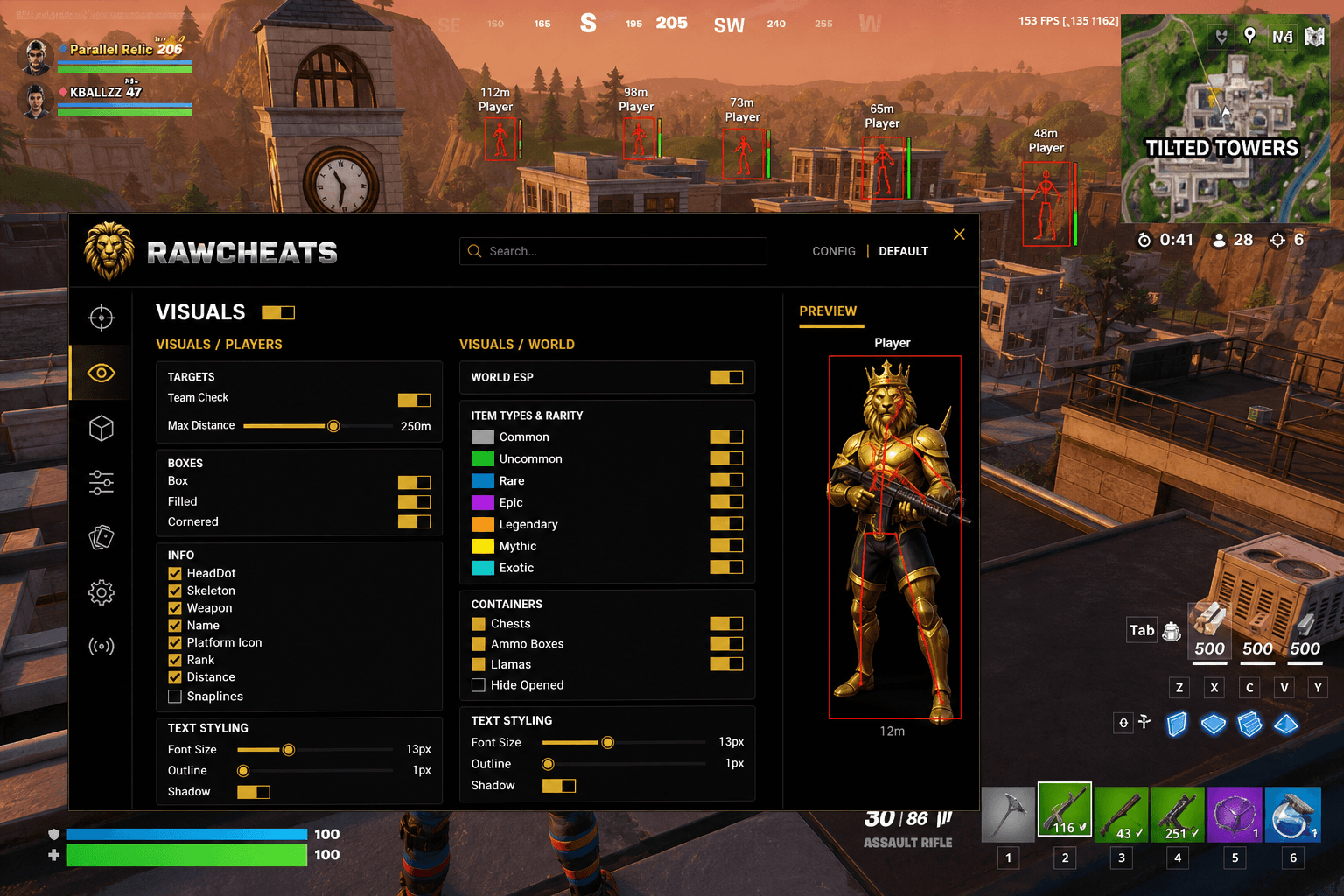
The full pre-flight checklist for running Fortnite cheats in 2026. Account separation, payment isolation, Secure Boot status, OBS stream-proof verification, cold-boot order.
This post is a cluster of the Fortnite Cheats Complete 2026 Guide pillar. The pillar covered setup at a high level in Section 10; this is the full 10-step pre-flight you should run through every time you set up a fresh Fortnite account or re-onboard after a hardware change.
Most account-loss events in 2026 don't come from the cheat itself being detected — they come from operational mistakes around the cheat. Reused payment methods, IP overlap with a banned account, a stream-overlay leak, an OBS recording that captured the cheat UI, a forgotten Discord overlay still running with cheat-related strings in the window title. The cheat survives the technical detection layer; the user gets caught by the operational tail. The April 2026 FNCS Major 1 DQ wave (covered in detail in the ban wave history cluster) is a high-profile example of even pros getting caught by tooling that wasn't strictly a cheat — Epic's enforcement increasingly targets the surface around the cheat, not just the cheat. This checklist closes that surface.
Step 1 — Fresh Epic account with no payment/IP overlap
Don't run a Fortnite cheat on your main Epic account. Make a fresh account, even if your main has never been banned, even if your main has 6 years of skin purchases. The reason is asymmetric risk: if the cheat-flagged account ever takes a ban, the historical link between accounts becomes an enforcement lever Epic can pull at any future point.
When creating the fresh account:
- Different email — use a clean address that's never been linked to your main. Don't use an alias of your main (gmail "+tag" tricks don't separate the account, they make the link explicit).
- Different payment method — credit card, PayPal, prepaid card, crypto. Whatever you use, make sure it's not the same card that's on file with your main Epic account. Epic's behavioral analysis explicitly cross-references payment methods across accounts.
- Different IP context — if possible, register the account from a different IP than your main. A residential VPN works. Public Wi-Fi at a coffee shop works. The same home IP works fine for ongoing play; just register the account from elsewhere.
Step 2 — Confirm your hardware fingerprint state
Before running the cheat for the first time, you need to know whether your current PC has any historical association with banned Fortnite accounts. Three scenarios:
Scenario A: Never cheated, never banned, fresh PC. Your hardware fingerprint is clean. Run Raw Spoofer anyway (good hygiene; randomization makes future tracking harder), but you're starting from a clean state.
Scenario B: Previously cheated on this PC or on shared hardware. Your fingerprint is in EAC's watch list. Mandatory: run Raw Spoofer on every cold boot before launching anything Epic-related. Skip this step and the watch-list flag follows you to every new account.
Scenario C: Used PC (bought secondhand, or shared with someone who got banned). Sometimes Scenario B without you realizing it. Treat as Scenario B until proven otherwise.
The full breakdown of what EAC reads and what Raw Spoofer covers is in the Fortnite HWID spoofer guide.
Step 3 — Verify Secure Boot, TPM 2.0, IOMMU status
As of the Feb 19, 2026 mandate, every PC tournament requires Secure Boot, TPM 2.0, and IOMMU enabled. The mandate is real and confirmed by PC Gamer, VideoCardz, and TechSpot. Status check:
- Secure Boot — open msinfo32, look for "Secure Boot State". Should read "On" if you plan tournament play.
- TPM 2.0 — run
tpm.msc. Should read "TPM ready for use, present, manufacturer info populated." - IOMMU (VT-d / AMD-Vi) — check your BIOS settings. Look for "Intel Virtualization Technology for Directed I/O" or "AMD-Vi" or "SVM Mode + IOMMU". Should be enabled if you plan tournament play.
For casual / pubs / ranked, you don't strictly need all three enabled. For tournament-tier, all three are mandatory or you cannot queue. Raw Fortnite works regardless of whether they're enabled — Raw Spoofer's driver is signed and loads cleanly with Secure Boot on.
Step 4 — Cold boot, kill background apps
Before running anything, do a full cold boot — not a restart. Power off, count to 10, power on. This clears persistent state that can leak data across sessions.
After the boot, before launching anything Epic-related, kill anything that might leak cheat-related telemetry:
- Discord (or set status to invisible)
- Steam (or set to invisible / offline)
- OBS / Streamlabs / any capture software
- Any "system monitoring" tools (HWMonitor, Rivatuner OSD, MSI Afterburner overlays)
- NVIDIA / AMD Game Bar overlays
- GeForce Experience / Adrenalin recording features (disable in-game overlay)
- Twitch / YouTube broadcasting tools
The Fortnite replay system records gameplay frames; some of these tools inject visible overlays into the captured frame. The cheat is stream-proof but the user's overlay stack is often not.
Step 5 — Run Raw Spoofer first, in the correct order
The spoofer must hook EAC's read paths BEFORE EAC reads them. EAC reads your hardware fingerprint at session start, which is the moment Fortnite launches (or, in some cases, the moment the Epic Games launcher starts). The correct order is:
- Cold boot complete.
- Confirm no Fortnite / Epic / EAC processes in Task Manager.
- Run Raw Spoofer as administrator. Confirm the UI shows your identifiers were randomized.
- Launch Raw Fortnite loader, enter license, select Fortnite from the game dropdown.
- NOW launch Fortnite via Epic Games launcher.
- NOW click Inject in the Raw Fortnite loader.
Doing this in any other order means EAC has already read your real fingerprint before the spoofer hooked in. The spoof becomes useless for that session.
Step 6 — Verify stream-proof rendering via OBS test
Before queueing your first cheated match, verify that the cheat is invisible to OBS / capture software. Two quick tests:
Test A — OBS game capture. Open OBS. Add a "Game Capture" source, set to Fortnite. With the cheat menu open, check the OBS preview. The cheat menu should NOT appear in the capture preview. If it does, your overlay rendering is leaking — do not stream or record gameplay with the cheat active.
Test B — Fortnite replay system. Play a casual / non-ranked match. After the match ends, view the replay. The cheat overlays (ESP boxes, aim FOV indicator, radar) should NOT be visible in the replay. If they are, replay-based reporting can manually verify your cheat use.
Raw Fortnite ships stream-proof rendering on its overlay layer by default. If either test fails, reach out — likely a Windows graphics driver edge case we can resolve.
Step 7 — Disable in-game features that increase replay scrutiny
A few Fortnite settings produce telemetry that interacts badly with cheats. Adjust these before queueing:
- Replay recording — disable Fortnite's auto-record in Settings → Game UI. Lower-risk, but if your client locally records every match, that's data you don't need on disk.
- In-game voice chat — keep on, but be mindful: voice chat data is recorded with your replays. Don't talk about the cheat over voice.
- Game Bar (Windows) — disable Game Bar entirely if it auto-captures clips. Settings → Gaming → Captures → off.
- NVIDIA ShadowPlay / AMD ReLive — disable instant replay / auto-recording. Manual clips are fine.
Step 8 — Plan your in-match behavior
Cheat detection in 2026 increasingly catches users on behavioral pattern, not signature. To minimize Layer 2 (behavioral analysis) detection surface:
Don't use max settings as your default. 100% FOV + 0 smoothness + 100% silent aim hit chance produces a player profile that's unambiguously machine-generated. Conservative defaults (covered in Fortnite aimbot settings) keep you in the human band.
Don't 100% headshot every kill. Vary your aim. Drop the bone priority to Chest → Head occasionally. A 95%+ headshot rate is a Layer 2 flag in itself.
Don't queue 20 games in a row with the cheat active. Long uninterrupted cheat sessions produce statistically consistent reaction times that age into detection. Mix in legit games periodically.
Don't report-bait by being obviously toxic. Most Fortnite ban actions start with a player report. Reports trigger manual replay review. Don't team-kill, don't camp obvious griefer positions, don't typing-spam in chat.
Step 9 — Set up a recovery plan in advance
If you do eat a ban, the recovery flow needs to be ready before you need it:
- New Epic account credentials ready — fresh email, payment method, IP context as in Step 1.
- Raw Spoofer license active — running on the same PC after the ban without spoofing means immediate flag on the new account.
- Don't link the new account to your banned account — no shared friends list, no shared cosmetic transfers (which Epic doesn't allow anyway), no using the same Discord username pattern.
- Wait 24 hours after the ban before creating the new account. Epic's behavioral analysis flags rapid-create-new-account-after-ban patterns. A delay reduces the link signal.
Step 10 — Monitor the live cheat status
EAC ships signature updates without warning, and there's typically a 6-12 hour window between an update going live and Raw Fortnite shipping a patched build. Running the cheat during that window is the most common detection scenario.
Bookmark Fortnite cheat status — the page tracks live detection state. If status flips from "Undetected" to "Updating" or "Detected", don't queue. Wait for the green light. The loader will refuse to inject automatically if the status is red, but having the status page bookmarked is the manual check that catches edge cases.
Frequently asked questions
Do I really need to make a fresh Epic account if my main has never been banned? Yes. The fresh-account discipline isn't about protecting against current detection — it's about controlling future enforcement vectors. If your main account has 4 years of skin purchases and a payment history, the cost of losing it is asymmetrically high compared to the marginal cost of running a fresh account.
Can I cheat on the same hardware I use for legit play? Technically yes (with Raw Spoofer randomizing the fingerprint per cheat session). Practically, running a separate user profile on Windows or a separate physical PC reduces leak risk further. The HWID spoofer pillar covers this in more detail.
Is a VPN required? Not required. The fresh-account-IP step (Step 1) reduces the link signal at account creation. After creation, your normal home IP is fine for ongoing play. A VPN reduces IP-based pattern matching but is not the load-bearing protection — the hardware fingerprint and behavioral patterns matter more.
What if Raw Spoofer crashes mid-session? The Raw Fortnite loader detects spoofer-driver state and warns before injecting. If the spoofer crashes during a match, exit Fortnite immediately — don't continue playing with an unspoofed fingerprint exposed to EAC's continuous reads. Reboot, re-run the spoofer, re-launch.
How often should I rotate Epic accounts even without a ban? Personal preference. Some players rotate every 30 days regardless; some run a single account for months. The lower-risk pattern is: one main "cheat account" for casual queue, separate fresh accounts for any cash-cup tournament play (covered in Fortnite aimbot settings tournament config).
Can I use Raw Fortnite on a shared family PC? Strongly not recommended. Hardware fingerprint contamination affects every account on the PC. Other family members' Epic accounts would inherit the cheat's risk surface. Don't put their accounts at risk for your cheating.
What's the single most common mistake users make? Wrong cold-boot order (Step 5). Running the spoofer after Fortnite has already started is the #1 reason spoofers "don't work." The spoof has to be in place before EAC's first read, which means before the Epic Games launcher even starts.
Want the full setup walkthrough live? Get Raw Fortnite from $4.99 + Raw Spoofer at $4.99. Live status: Fortnite Cheat Status. For the deeper aimbot tuning that pairs with safe setup, see Fortnite aimbot settings 2026. For the ESP/wallhack configs, see Fortnite ESP features explained.
